


Themely - Icons & Widgets
4.83.77K Reviews
App Specs
- Version
- 1.0.0.724
- Updated On
- License
- Free
- Downloads
- 10,000,000+
- Developer
- Animoji Phone X & Emoji Maker Develop Team
- Categories
- Personalization
- Platform
- Android
Screenshots
 Analysis by AppCompare
When I first open Themely, I treat it as a way to explore a different look for my phone, not as a one-tap makeover that will automatically suit every home screen. It is a personalization app from Animoji Phone X & Emoji Maker Develop Team, built around themes, icons and widgets. The useful starting point is to decide what I want to change first: the overall visual mood, the app icons I see most, or the glanceable information on my home screen. That small choice makes the first session feel manageable rather than like a long hunt through options.
What to expect from a home-screen makeover
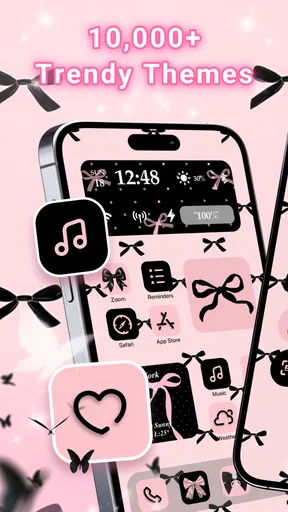
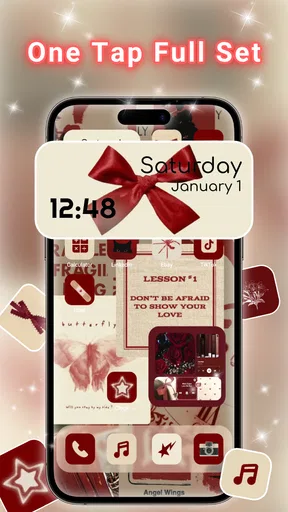
Themely’s appeal is variety: its collection is described as having more than ten thousand aesthetic themes and widgets, so I would approach it as a browsing library rather than assume that every design belongs to one consistent style. Some people will enjoy comparing looks and building a personal combination; others may prefer a single, restrained design and be done. In my view, the app makes the most sense when you want your phone to feel more like yours, but still want to keep familiar apps and routines in place.
It is free to install, with optional in-app purchases ranging from around a dollar to forty dollars per item. I’d begin by browsing before committing to anything paid, and check the price shown for a specific item before confirming a purchase. The app is rated for teens, has a 4.8 average from around 94,000 ratings, and has passed a million installs. Those figures suggest that many people are trying it, but they don’t tell me whether a particular theme will fit my taste or how smoothly it will fit my setup.
Unleashing Your Inner Designer
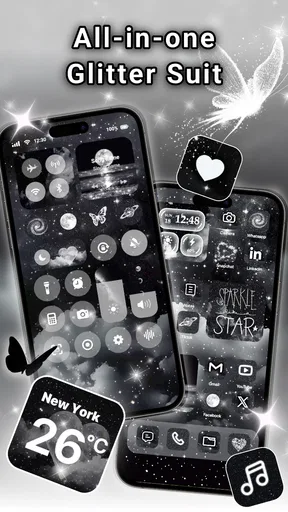
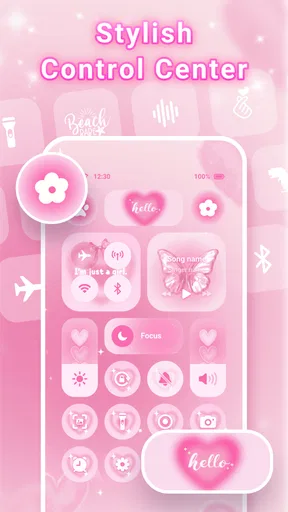
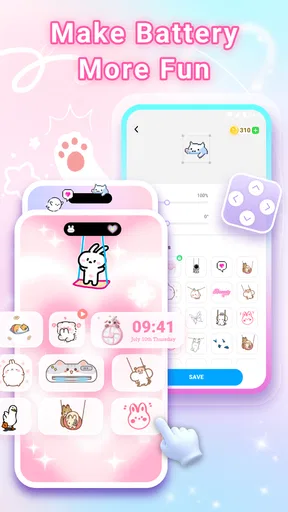
Themely isn't just about swapping out icons; it's about transforming your entire phone experience. The app offers a plethora of themes, icons, and widgets that will make your home screen pop. Whether you're into minimalistic designs or vibrant, colorful layouts, Themely - Icons & Widgets has got you covered.
Start with one deliberate change
For a first try, I’d pick a theme that gives me a clear visual direction, then decide whether its icons and widgets actually work with the apps I use every day. This is more practical than changing everything at once: if the result feels cluttered or hard to read, I can tell which part is responsible. A useful test is to leave my most-used apps in their usual places while I adjust the surrounding look. That keeps the experiment reversible and makes it easier to judge whether the new style helps or merely looks attractive in a preview.
A realistic first session could be a quick refresh before a busy week. I might choose a calm palette, make the most frequently opened apps easy to spot, and add a widget only if it helps me check something at a glance. The goal is not to fill every available space. A themed screen that leaves room to see wallpaper and keeps important shortcuts obvious often feels more polished than one packed with decorative elements.
Widgets Galore
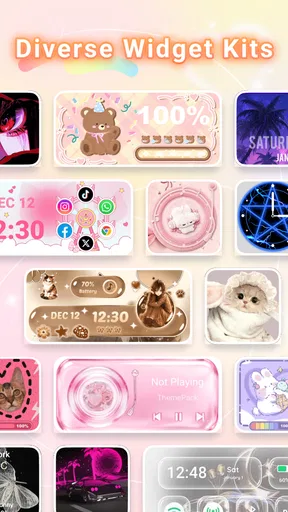
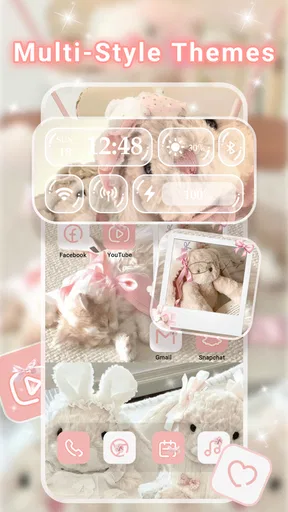
Widgets are all the rage, and for a good reason. They bring functionality and flair right to your fingertips. Themely provides a wide range of widgets that can display everything from the weather to your favorite calendar events. Plus, they’re customizable down to the color and font, which means you can truly make them your own.
Worth Reading Before You Choose

Baby Panda World Brings Quick Play to Modern Phones, but Its Game Library Feels Busy

ESPN’s Live Game View Makes Following Close Games Easier

QuizzLand Review: A Good Fit for Short Trivia Breaks, Not Every Player

Basketball Stars: Multiplayer Is Fast, but Can It Recover When Matches Go Wrong?

WEBTOON Turns Phone Updates Into a Better Reading Routine

Link to Windows Runs on Shared Habits, Not Social Feeds
When choosing a widget, I’d consider its job before its appearance. A calendar-style element is most useful if I can read the information quickly; a decorative widget is worthwhile if I genuinely like seeing it each time I unlock my phone. I’d also avoid adding several widgets with overlapping purposes. They can compete for attention and space, so one clear glanceable element may be more useful than a row of attractive but redundant panels.
One small workflow that helps is to try a widget in a less prominent spot first. I can live with it for a while, see whether I actually look at it, and move or remove it if it becomes visual noise. That’s a better test than judging a design only from a preview. I would also check the result on the actual home screen, because surrounding icons and available space affect whether a widget feels balanced.
Icon Packs for Every Taste
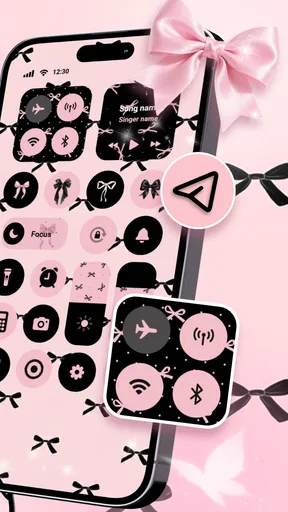
Feeling adventurous? Change up your app icons with Themely’s diverse icon packs. You'll find themes that range from sleek and modern to quirky and fun. It’s like having a wardrobe for your apps. And the best part? You can mix and match to create a personalized look that screams "you."
Mixing styles can be fun, but I’d do it with a simple rule: keep a shared color or visual detail across the icons I change. Without that anchor, a collection of individually appealing designs can look accidental. I’d start with the apps on my main screen rather than trying to restyle every app at once. That gives the new look an immediate impact and avoids turning customization into a tedious checklist.
There is also a practical trade-off between a coordinated appearance and instant recognition. If an icon looks very different from the familiar one, I may need a moment to identify it. For apps I open quickly or use under pressure, recognizability matters more than matching the theme perfectly. I’d keep those icons easy to distinguish, then use more decorative choices for less urgent apps.
Easy Peasy Customization
Now, I know what you're thinking—customizing sounds like it could be a hassle, right? Well, not with Themely. The app is designed to be user-friendly. With just a few taps, you can completely revamp your home screen. It's so intuitive that even your grandma could figure it out (no offense, grandma!).
Even with an approachable design, I wouldn’t assume that every phone handles a customized screen in exactly the same way. The app’s minimum operating-system requirement is version 7.0, and the current version is 1.0.0.393. Before spending time arranging a layout, I’d make sure my device meets that requirement and then check the actual result on my own screen. A layout that looks tidy in the app may need small adjustments once it sits alongside my existing shortcuts and wallpaper.
If I’m new to this kind of customization, I’d avoid making several changes before I know how to undo or replace them. Try one theme or icon treatment, inspect the home screen, and only then continue. That simple sequence makes it easier to recover from a choice that doesn’t feel right. It also answers the first practical question most new users have: yes, I can approach the app gradually instead of committing to a complete redesign immediately.
Where it fits among other personalization options
Compared with changing wallpaper alone, Themely offers a broader way to shape the screen because it brings themes, icon packs and widgets into the same customization experience. A wallpaper-only change is faster and is often the better choice if I want a subtle refresh without adjusting how app shortcuts look. Compared with choosing icons or widgets separately from other sources, Themely’s range can make it easier to browse for a coordinated direction in one place. The trade-off is that a large collection takes judgment: having many choices does not guarantee that every set will match my preferences or daily habits.
I’d skip it if I’m already happy with my home screen, dislike browsing visual styles, or want every app to retain its familiar appearance. It may also be a poor fit if I expect a theme to redesign every part of the phone automatically. For someone who wants a quick wallpaper swap, the phone’s built-in personalization options may be simpler. For someone who enjoys choosing a visual identity and refining it over a few sessions, Themely is a more natural place to experiment.
The Community Touch
One of the coolest features of Themely is its community-driven designs. You can explore themes created by other users or share your own masterpieces. It’s a fantastic way to get inspired and maybe even inspire others. Who knew customizing your phone could be a social activity?
When browsing designs from other people, I’d use them as starting points rather than instructions. A layout made for someone else’s habits may put the wrong things first for me, even if its colors and style are appealing. I can borrow the overall mood and then prioritize my own frequently used apps. That turns discovery into a practical shortcut: I spend less time inventing a direction from scratch while still ending up with a screen that suits my routine.
For a first meaningful result, I’d choose one design, apply only the parts I genuinely want, and use the phone normally before doing more. If the screen still feels comfortable after a few days of ordinary use, I can add another element. If not, I can simplify it. This matters more than creating a dramatic before-and-after moment, because the home screen is something I interact with repeatedly, not just something to admire once.
Costs, expectations and a sensible next step
Themely is free to start, but individual in-app purchases are available, with listed item prices spanning from $0.99 to $39.99. I’d treat paid choices as optional and make a purchase only after checking exactly what I’m selecting and whether it solves a real need. For a casual user, there is no reason to buy something simply because it appears while browsing. The best next step is to explore the free experience, find a style that feels useful, and decide whether any paid item is worth it on its own terms.
The developer is Animoji Phone X & Emoji Maker Develop Team. The app’s release date is May 30, 2025, and its teen content rating is worth keeping in mind for younger users and families. Those details help set expectations, but the decision still comes down to the experience I want: a visual playground with room to experiment, rather than a necessary tool for someone who does not care about changing icons or widgets.
In a world where our phones are practically an extension of ourselves, it only makes sense to make them as unique as we are. Themely - Icons & Widgets gives you the tools to do just that, all while keeping it fun and straightforward. So why not give your phone the makeover it deserves? You might just fall in love with your home screen all over again.
Pros
- Highly customizable themes and widgets.
- User-friendly interface for easy navigation.
- Regular updates with new themes.
- Compatible with most Android and iOS devices.
- Low impact on device performance.
Cons
- Limited free design options available.
- Some themes require in-app purchases.
- Occasional ad interruptions.
- Customization may confuse new users.
- Widgets might not sync seamlessly.
FAQs for Themely - Icons & Widgets
What is Themely - Icons & Widgets, and how does it enhance my phone's interface?
Themely - Icons & Widgets is an app designed to personalize your smartphone's interface. It offers a wide range of custom icons, widgets, and themes, allowing you to tailor the look and feel of your device to your personal style. With its user-friendly interface, the app makes customization easy and accessible, enhancing both functionality and aesthetics.
Is Themely compatible with all Android and iOS devices?
While Themely is designed to work on most Android and iOS devices, compatibility may vary depending on the device's operating system version. It's recommended to check the app's requirements on the download page to ensure it supports your specific device model and OS version before installation.
Does Themely offer free and paid content?
Yes, Themely provides both free and premium content. Users can access a basic set of icons and themes for free, while more exclusive designs and advanced customization options are available through in-app purchases. This model allows users to explore the app before deciding to invest in premium features.
How often is new content added to Themely?
The developers of Themely regularly update the app with new icons, widgets, and themes to keep the content fresh and engaging. Updates are usually rolled out monthly, but frequency can vary. Users are encouraged to enable notifications to stay informed about the latest additions and enhancements.
Can I create my own icons and widgets in Themely?
Themely does not currently support the creation of custom icons and widgets directly within the app. However, it offers a wide variety of pre-designed options that can be personalized to suit your preferences. The developers are considering user feedback and may introduce this feature in future updates.


